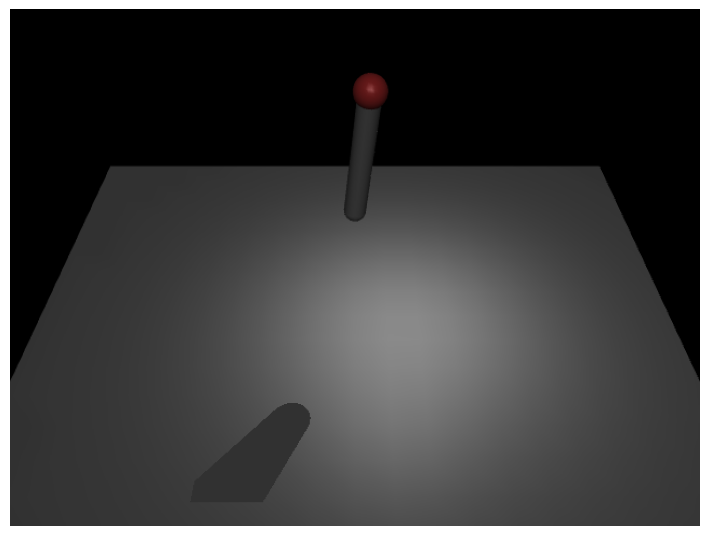
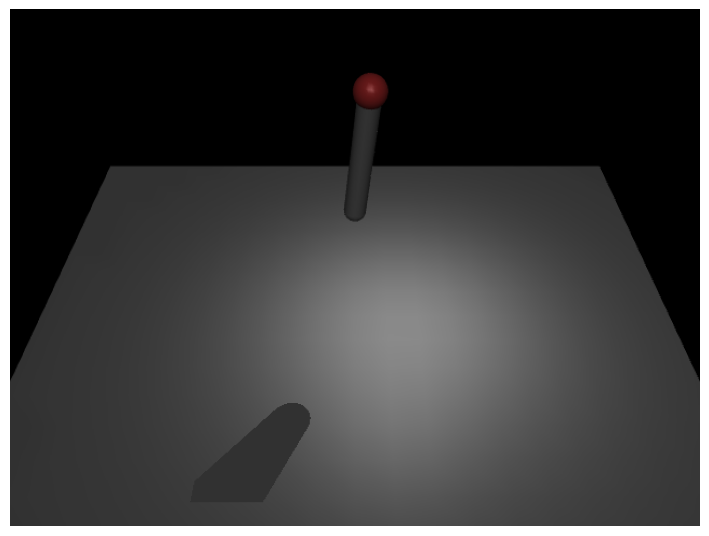
import mujocoimport mujoco.viewerimport time # Load a model from a file (won't do this here to avoid external file calls)# model = mujoco.MjModel.from_xml_path('path/to/your/model.xml')# Create a simple pendulum modelmodel = mujoco.MjModel.from_xml_string("""<mujoco> <worldbody> <light name="light1" pos="0.3 0.3 1"/> <geom name="ground" type="plane" pos=" 0 0 -1.2" size="2 2 0.1" rgba="0.5 0.5 0.5 1"/> <body name="pendulum" pos="0 0 0"> <joint name="pivot" type="hinge" pos="0 0 0" axis="0 1 0" damping="0.1"/> <geom name="rod" type="capsule" fromto="0 0 0 0 0 0.6" size="0.05" rgba="0.5 0.5 0.5 1"/> <geom name="mass" type="sphere" pos="0 0 0.6" size="0.07" rgba="0.8 0.2 0.2 1"/> </body> </worldbody></mujoco>""")data = mujoco.MjData(model)data.qpos[0]=0.01# Create a viewerviewer = mujoco.viewer.launch(model, data, show_left_ui=False, show_right_ui=False,)
Run python3 code/basic_mujoco.py
Basic Example
import mujocoimport mujoco.viewerimport time # Load a model from a file (won't do this here to avoid external file calls)# model = mujoco.MjModel.from_xml_path('path/to/your/model.xml')# Create a simple pendulum modelmodel = mujoco.MjModel.from_xml_string("""<mujoco> <worldbody> <light name="light1" pos="0.3 0.3 1"/> <geom name="ground" type="plane" pos=" 0 0 -1.2" size="2 2 0.1" rgba="0.5 0.5 0.5 1"/> <body name="pendulum" pos="0 0 0"> <joint name="pivot" type="hinge" pos="0 0 0" axis="0 1 0" damping="0.1"/> <geom name="rod" type="capsule" fromto="0 0 0 0 0 0.6" size="0.05" rgba="0.5 0.5 0.5 1"/> <geom name="mass" type="sphere" pos="0 0 0.6" size="0.07" rgba="0.8 0.2 0.2 1"/> </body> </worldbody></mujoco>""")data = mujoco.MjData(model)data.qpos[0]=0.01# Create a viewerviewer = mujoco.viewer.launch(model, data, show_left_ui=False, show_right_ui=False,)
Basic Example with Loading
import mujocoimport mujoco.viewerimport time # Load a model from a file (won't do this here to avoid external file calls)# model = mujoco.MjModel.from_xml_path('path/to/your/model.xml')# Create a simple pendulum modelmodel = mujoco.MjModel.from_xml_string("""<mujoco> <worldbody> <light name="light1" pos="0.3 0.3 1"/> <geom name="ground" type="plane" pos=" 0 0 -1.2" size="2 2 0.1" rgba="0.5 0.5 0.5 1"/> <body name="pendulum" pos="0 0 0"> <joint name="pivot" type="hinge" pos="0 0 0" axis="0 1 0" damping="0.1"/> <geom name="rod" type="capsule" fromto="0 0 0 0 0 0.6" size="0.05" rgba="0.5 0.5 0.5 1"/> <geom name="mass" type="sphere" pos="0 0 0.6" size="0.07" rgba="0.8 0.2 0.2 1"/> </body> </worldbody></mujoco>""")data = mujoco.MjData(model)data.qpos[0]=0.01# Create a viewerviewer = mujoco.viewer.launch(model, data, show_left_ui=False, show_right_ui=False,)
code/basic_mujoco.py
import mujocoimport mujoco.viewerimport time # Load a model from a file (won't do this here to avoid external file calls)model = mujoco.MjModel.from_xml_path('../models/simple_pendulum_act.xml')data = mujoco.MjData(model)data.qpos[0]=0.01# Create a viewerviewer = mujoco.viewer.launch(model, data, show_left_ui=False, show_right_ui=False,)
import mujocoimport mujoco.viewerimport time # Load a model from a file (won't do this here to avoid external file calls)model = mujoco.MjModel.from_xml_path('../models/simple_pendulum_act.xml')dt: float=0.002model.opt.timestep = dtdata = mujoco.MjData(model)data.qpos[0]=0.01# Create a viewerviewer = mujoco.viewer.launch_passive(model, data, show_left_ui=False, show_right_ui=False, )try:while viewer.is_running(): step_start = time.time()# Step the simulation data.ctrl[0] =-100*data.qpos[0] -20*data.qvel[0]print(data.qpos[0]) mujoco.mj_step(model, data)# Update the viewer viewer.sync()# Add a small delay to control frame rate time_until_next_step = dt - (time.time() - step_start)if time_until_next_step >0: time.sleep(time_until_next_step)exceptKeyboardInterrupt:print("Viewer closed by user")finally: viewer.close()